Step 1: Install Python
1.1. Download Python
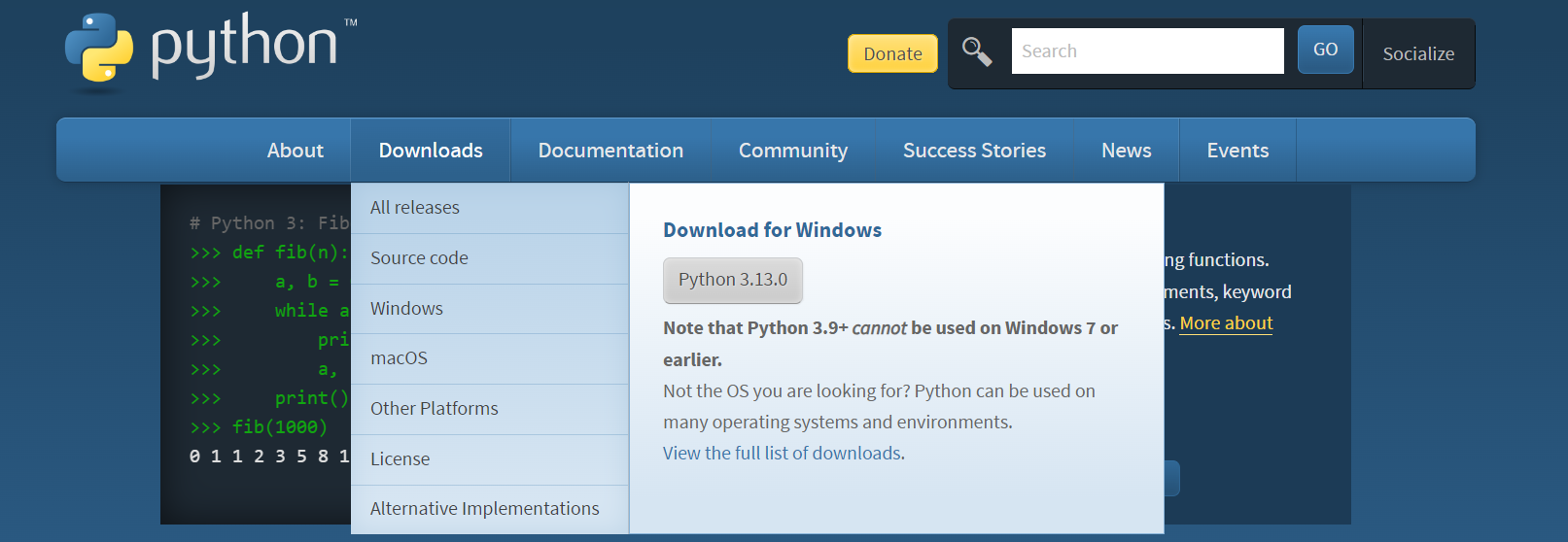
Go to the official Python website: https://www.python.org.
On the homepage, click on the Download button. It should automatically detect your operating system.
1.2. Install Python
After downloading, open the installer.
Important: Check the box that says "Add Python to PATH" before you click Install.
Click Install Now to proceed.
Follow the installation prompts.Verify Installation
Once installed, open a terminal or command prompt:
Windows: Search for "cmd" and open the Command Prompt.
Mac/Linux: Open the Terminal from your applications or by pressing Ctrl + Alt + T.
Type the following command to verify the installation:
python --versionYou should see something like:
Python 3.x.xThis confirms that Python is installed correctly.
Step 2: Write Your First Python Program
2.1. Using Python's Interactive Shell
Open a terminal or command prompt and type python (or python3 on some systems).
You will enter the Python interactive shell. Here, you can start writing Python code directly.
Example:
print("Hello, World!")Hello, World!2.2. Writing a Python Script
Open a text editor (like Notepad, Sublime Text, VS Code, or any IDE).
Write your Python code:
print("Hello, World!")Save the file with a .py extension. For example, save it as hello.py.
Run the script:
- Open your terminal or command prompt.
- Navigate to the directory where the file is saved using the cd command.
For example:
cd path/to/your/filepython hello.pyYou should see:
Hello, World!Step 3: Set Up a Python IDE (Optional)
To make coding easier, you can use an Integrated Development Environment (IDE).
Here are some popular choices:
1. PyCharm:
Free version: PyCharm Community Edition
Once installed, you can create a new Python project and start coding in an easy-to-use environment.
2. VS Code:
Download from: https://code.visualstudio.com/
Install the Python extension for added features like auto-completion and debugging.
3.Jupyter Notebook:
Great for data science and quick prototyping.
Install via pip:
pip install notebookRun it:
jupyter notebookStep 4: Install Python Libraries
To extend Python’s functionality, you can install libraries using pip, Python's package manager. For example, to install the popular requests library for making HTTP requests, run:
pip install requestsStep 5: Learn Python Basics
Once you’re all set up, here’s how you can start learning:
Official Python Docs: https://docs.python.org/3/
Online Courses: Platforms like Coursera, Udemy, and Codecademy offer Python courses.
Interactive Learning: Try websites like https://repl.it for in-browser coding practice.